

Physical Control Over Touchscreens
So you can stay focused on the music.
Practice without breaking concentration. Scrub with a real rotary wheel. Slow down and speed up instantly. Set loops with one press. Adjust volume without hunting along the side of your iPad.
Control playback by feel, stay locked-in, and make every session more productive.

See the full video on YouTube
Music Practice, Simplified.
Sit down to actually practice, not to fiddle with playback on a touchscreen.
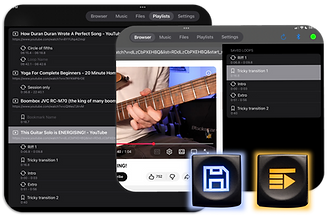
Benjamin gives YouTube on iPad precise, tactile control over videos with
real buttons and a chunky knob.


Why Benjamin?
It's science.
Here's the thing - your fingers acutally hate touch screens. Because touchscreens don't click. Or slide. Or offer any sensory feedback. But Benjamin does - and that's the magic.
Human fingers have mechanoreceptors, specialized nerve cells that work when interacting with tactile objects. The object becomes an extended part of the human hand; the two become one.
Benjamin's big, easy to push buttons replace tiny, hard to hit screens, so you can enjoy modern online content with the tactile controls you miss from the old days... or are discovering today!
